Monitor Claude Code subagents with Ant Farm
Open /antfarm to see each subagent's task, current activity, tokens and estimated cost while Claude Code works. Use the cards and timeline to follow parallel work without piecing it together from the conversation.
Reviewed 15 Oct 2026 · Ant Farm v0.3.5
Set up Ant Farm
Parallel subagents can be hard to follow: one is thinking, another is reading a file, and a third has finished. Ant Farm keeps their activity in one view. It observes the work; it does not start subagents or change their tool calls.
Before you start
Use Claude Code 2.1.287 or later in a terminal, or a local Code session in Claude Desktop. Desktop includes its own Claude Code; the official minimum there is 2.1.286, while this collection conservatively requires 2.1.287.
The current official mods documentation also allows mod UI in the VS Code chat panel with extension 2.1.299 or later, in a session that fetches feature flags. That platform capability is not a compatibility test of every mod. Desktop WSL sessions have no plugins. Remote Control shows mod UI in the terminal on the host machine.
This tutorial uses the terminal or local Desktop Code. The reviewed Ant Farm snapshot does not establish newly verified VS Code support; its mission map remains Desktop-only. Use a repository you are allowed to inspect and your normal Claude Code account.
Add the marketplace and install
Run these inside your Claude Code session, not your shell. Skip the first command if the marketplace is already added.
/plugin marketplace add modmyclaude/claude-code-mods/plugin install ant-farm@modmyclaudeIf you install externally with claude plugin install name@marketplace while a session is open, run /reload-plugins inside that session. The install guide covers the general setup.
Open the farm
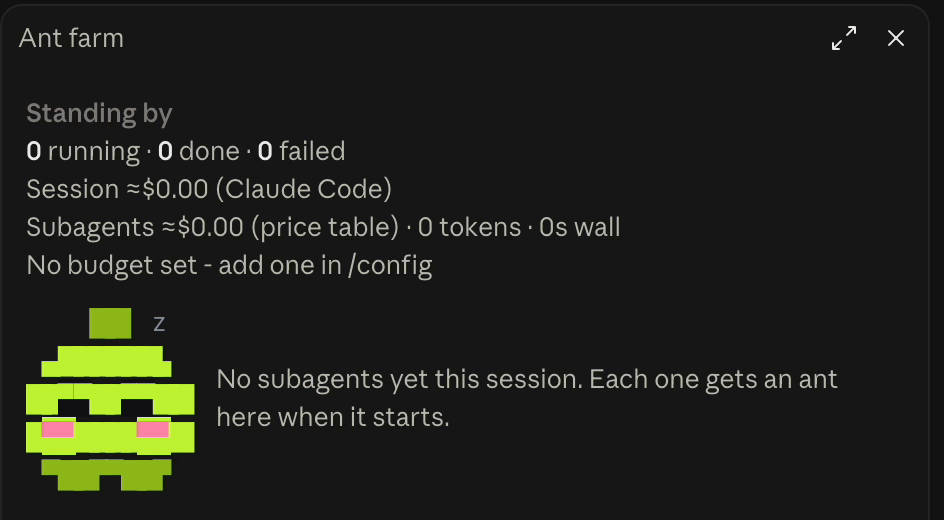
/antfarmYou can open it mid-turn. The command opens a view and adds nothing to the conversation. Before any subagents start, the pane is idle. On a narrow terminal, the band can list agents instead of opening a docked pane.
Try a read-only repository review
The suggested prompt below asks for two parallel subagents: one for routing, one for tests. It is an example request, not a transcript. Claude decides how to carry it out; your repository, model and permissions affect what you see.
Suggested read-only prompt
Review this repository read-only using two parallel subagents.
Ask one to inspect routing: map the entry points and routes, and flag unclear or risky routing behavior with file references.
Ask the other to inspect tests: map the test setup and coverage, and identify important gaps with file references.
Do not edit files, install dependencies, run tests or other shell commands, or make network requests. Use read-only file inspection and search.
Have each subagent return a short summary, then combine their findings. Ask before taking any action beyond this review.
Read-only describes the requested repository actions, not free usage. Claude and its subagents still use the model normally. Review any permission requests yourself; Ant Farm does not decide them.
Read the activity as it happens
- Band
- Look above the prompt for elapsed time, running and done counts, and the session estimate. The band remains while background subagents work.
- Cards
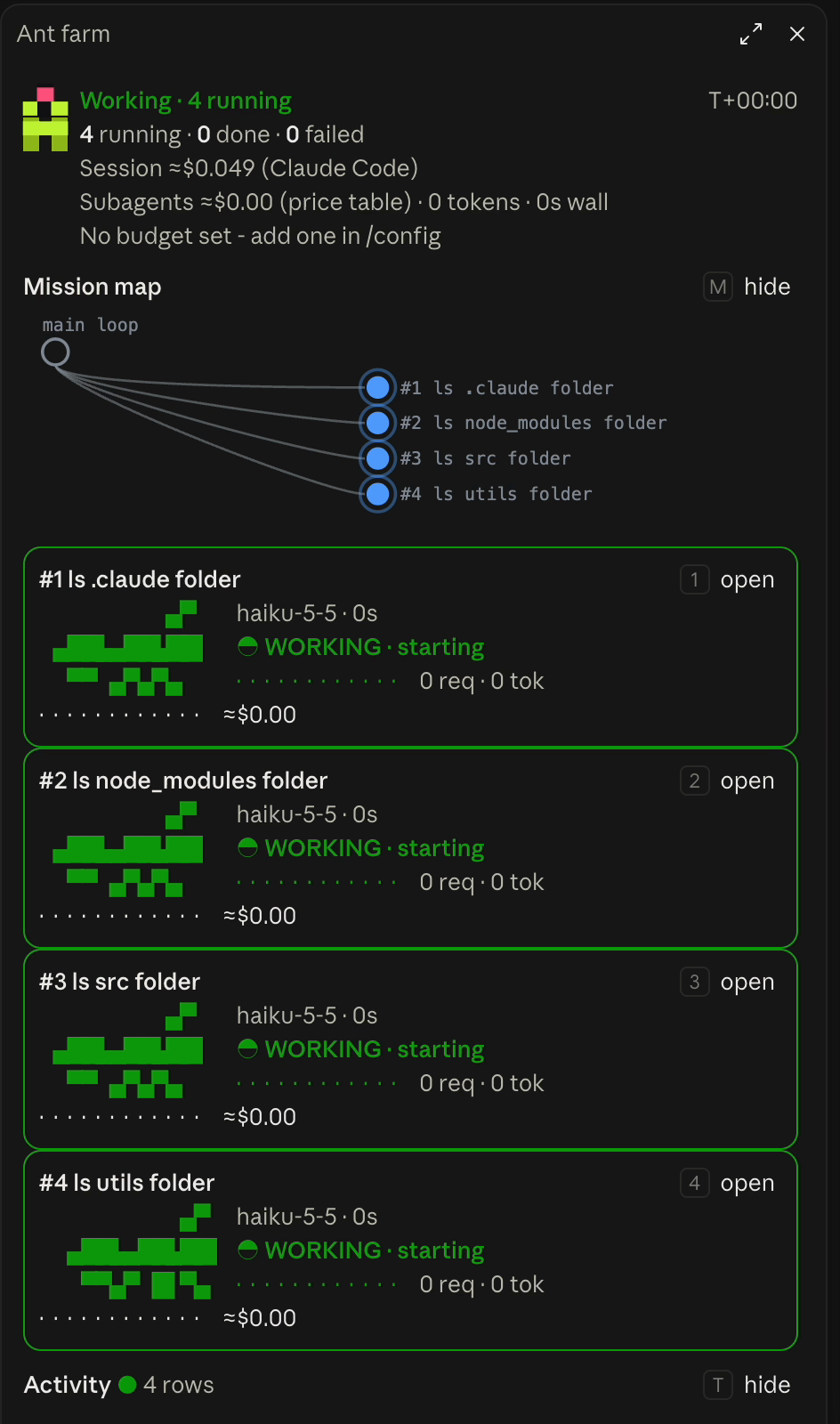
- Match each task to its mission number. Read its model, phase and current tool summary.
THINKINGcomes from thinking blocks;WORKINGcovers writing or tool activity.WAITINGmeans held by the engine, not detection of a permission prompt. - Timeline
- Follow starts, handoffs, tool calls and endings newest first. The timeline keeps the last 80 events, shows 12 rows initially and can expand to 40. Tool activity is reported, not a guarantee that the review found every issue.
- Inspector
- Use
openon a card for the full task, state, request and token counts, estimated cost and that agent's recent activity. With the pane focused, keys 1-9 select an agent;n/pmove andxcloses. Esc returns focus to the prompt.
Working state
The mission map shows who spawned whom on Desktop only. It is a static picture for each state, updated when the mission changes, not an interactive map or a terminal feature. Use the cards or keys to inspect agents.
Desktop demo
These existing captures illustrate Ant Farm, not results of the suggested two-agent prompt. The clip shows the Desktop mission map changing state.
Read completion, then the result
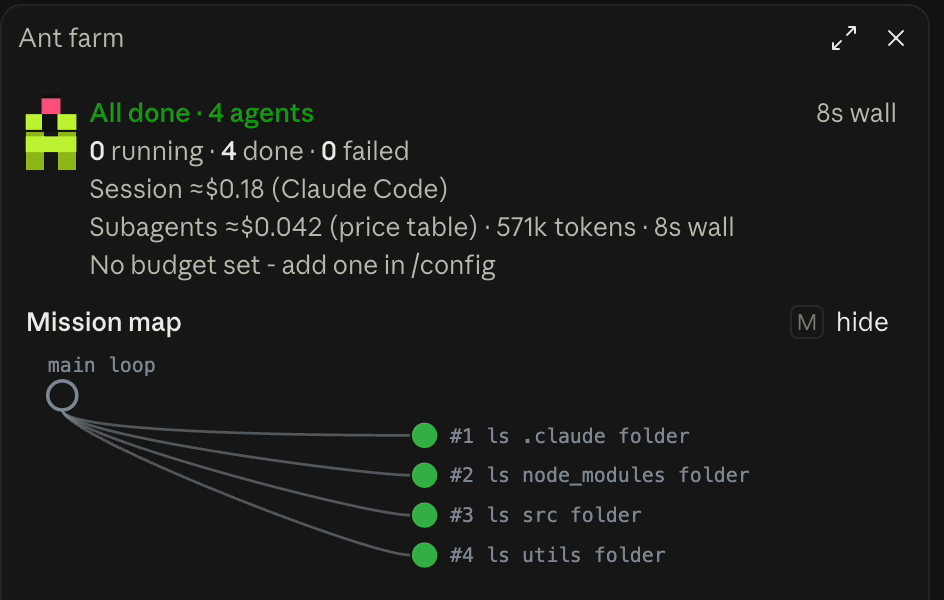
DONE and FAILED follow turn endings. Finished agents fold into a compact list. Compare the agents' final summaries in Claude Code with their recorded activity: done means the turn ended, not that every finding is correct. An interrupted turn can show as failed.
Understand estimated cost
Every cost figure marked ≈ is an estimate, not an invoice. Session spend uses Claude Code's estimate when available, the figure associated with /cost; otherwise Ant Farm falls back to its price table. A subscription does not pay that list-price total.
Per-agent cost always uses Ant Farm's price table and can differ from the session estimate. It cannot account for all fast-mode, batch, partner-cloud or negotiated rates, and assumes five-minute cache writes. An unknown model shows tokens and ? for cost.
budgetUsd defaults to 0, off. If you set it in /config, the alarm warns at your budget and at twice it. It never stops work or spend, and can warn one request after a crossing. A resumed session's engine estimate includes earlier usage.
Know the limits
- Ant Farm makes no model calls, file accesses, process executions or network requests of its own. The work it observes can do those things under your Claude Code permissions.
- Counts and activity live in session memory, not on disk.
/clearresets the farm. It is not a durable audit log. - ETA is a heuristic shown after three model requests, based on observed pace and completed agents of the same type. It is not a deadline.
- Remote-isolated agents may show a start without locally visible requests or a precise ending. An externally stopped background agent may take about ten seconds to settle from the engine list.
- The map is Desktop-only. Under 40 pane columns, cards become plain lines. Finished-agent and timeline caps mean older detail can leave the view.
Troubleshoot the view
- Nothing appears
- Confirm the plugin is installed and enabled in
/plugin, check the version and surface, then enter/antfarm. Reload plugins if you installed externally. The pane auto-opens only where it fits as a sidebar, at most once per session and not after you close it by hand. - The farm stays idle
- Ant Farm does not create subagents. Ask Claude to delegate parallel work. The example prompt is a suggestion, not a promise that two agents will run.
- No map or no cards
- The terminal has no mission map. Below 144 terminal columns, a docked pane can be held back and the band lists agents. Below 40 pane columns, expect plain lines rather than cards.
- A click does nothing
- A Desktop click can miss during a live redraw. Try again or focus the pane and use its number keys. Keys only act while the pane owns the keyboard.
- Waiting does not match a permission question
- The mod does not read permission decisions. A card can keep its previous phase while Claude Code asks about a tool. Check Claude Code's own prompt rather than treating the card as a permission indicator.
Source and next steps
Reviewed against Ant Farm v0.3.5, commit b8786f6, on 15 Oct 2026. Screenshots and demo are existing project media. No new live Claude Code test was run.